Vibecoding a Retro Dock Mascot
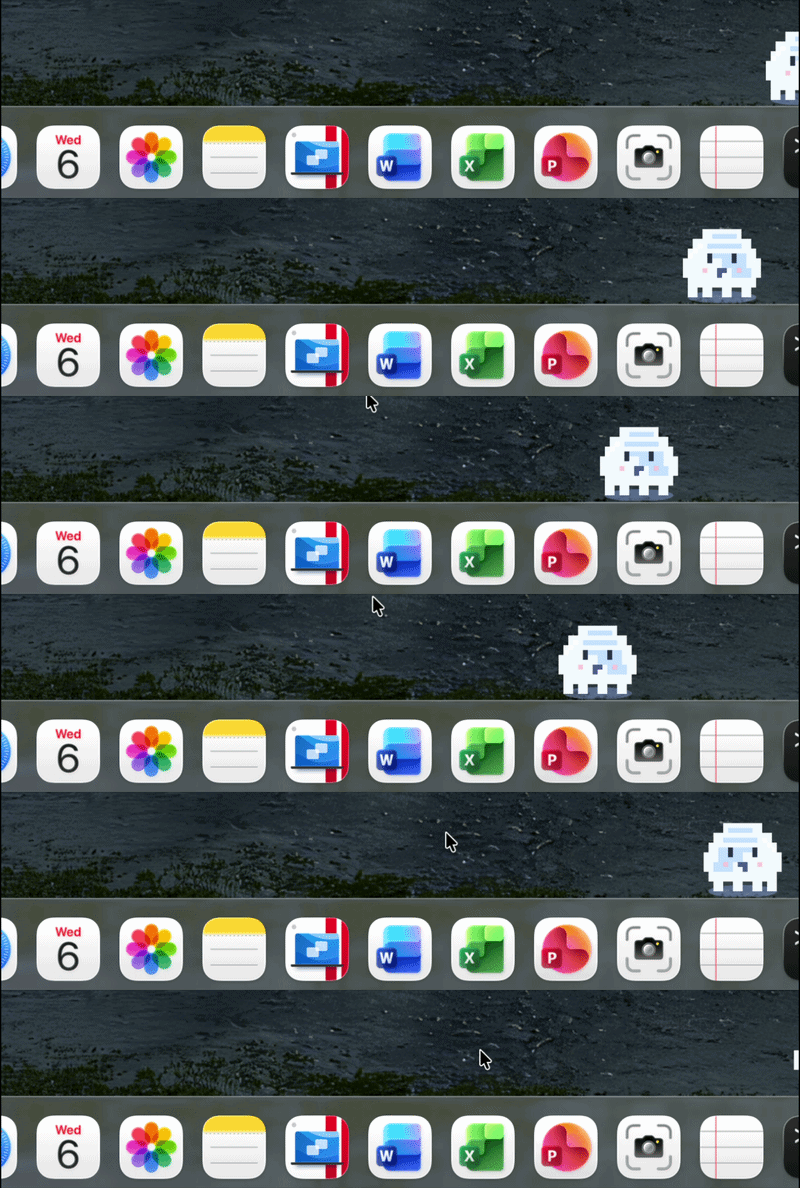
A small vibecoding experiment
I wanted to try building a simple macOS app with AI help. I used Xcode with coding agent. This time I tested Codex.
My starting prompt was:
I want to create a simple macOS app with a retro-vibe pixel mascot that moves along the Dock and runs away when I approach it with the mouse. Create a plan how to implement it in a robust, deployable app.
After Codex created the plan, I continued with:
Build it and provide instructions how to run and test the app.
The idea was simple: a tiny animated mascot living near the Dock, reacting to the mouse, and giving a playful retro feeling.
Press cmd+R and the project is built and running!
Iterating on the mascot
The first version worked, but I did not like the black mascot it created.
So I kept iterating:
- first the default mascot
- then a capybara
- and finally a ghost
The ghost looked the best.
That was probably the most fun part of the process: not only getting code, but also shaping the personality of the app through small prompt changes.
Why I liked this
This felt like a good example of vibecoding.
I did not start with architecture diagrams or a long specification. I started with a fun idea, asked for a plan, then asked the agent to build it, test it, and improve it. From there, I could refine the details I cared about.
A tiny ghost running away from the mouse on the Dock is not an important product.
But it is a fun way to explore Xcode, Swift, and AI-assisted app building.